Microphones
Products · Microphones
3 active deals
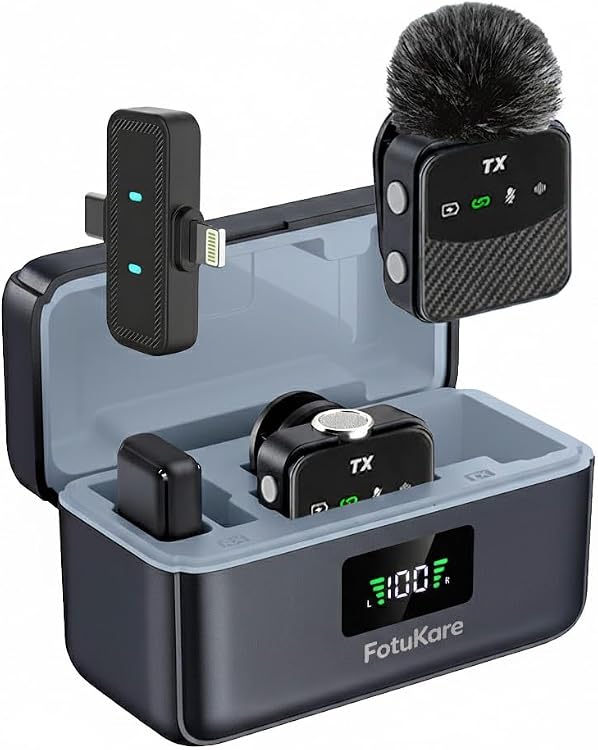
FotuKare MS9 Wireless Lavalier Microphone, USB-C and Lightning
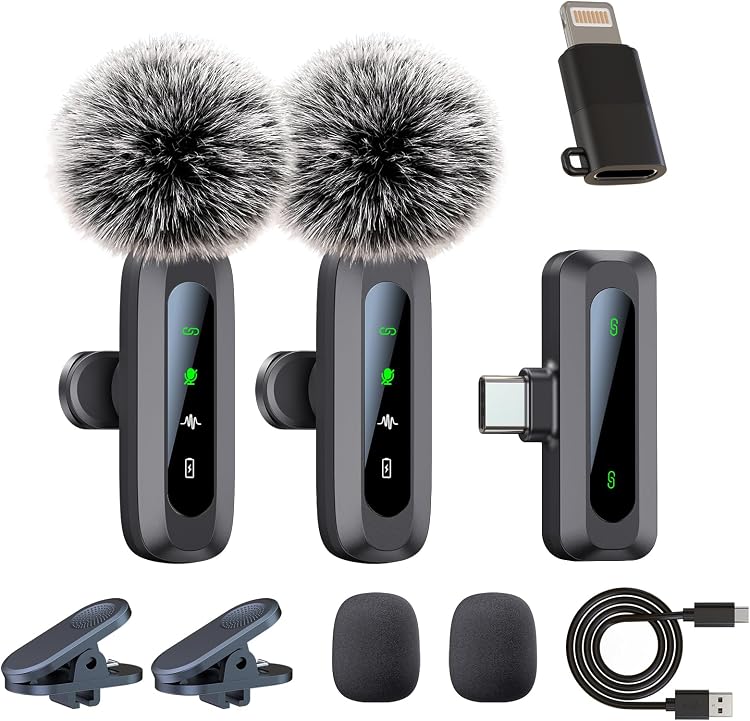
Uewpv J3-Lightining Wireless Lavalier Microphone, 2-Pack
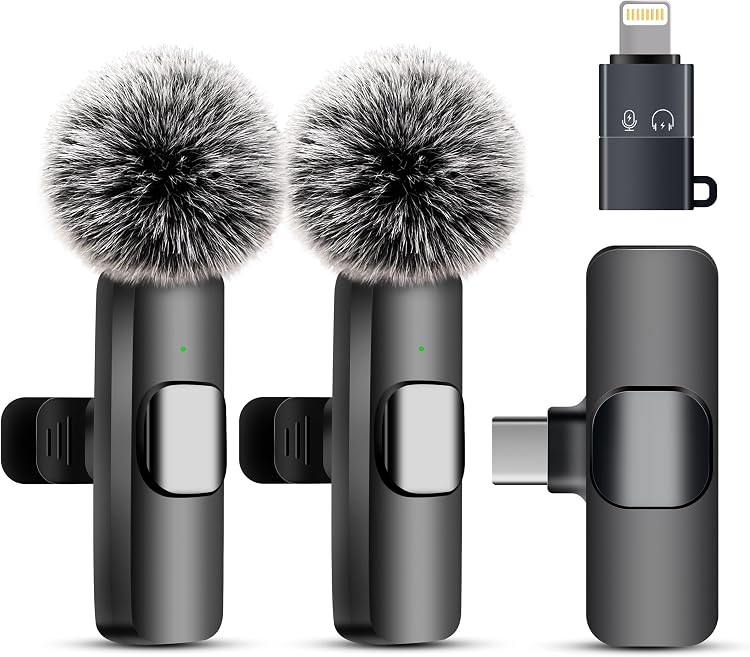
Uewpv Mini Wireless Lavalier Microphone, 2-Pack
Choosing a microphone for speech, recording or instruments
Choose for your sound source, working distance and receiving equipment. Practical shape matters more than accumulating features: compare the complete recording setup, not just its capsule.
Match form and technology to the sound source
A handheld microphone suits speaking or singing while moving, a desktop model suits seated conversations, and a lavalier leaves your hands free. Dynamic microphones often need more gain than many condenser designs, but neither technology guarantees clean speech by itself. For instruments, look for a stated application suited to the source and check the specified maximum sound pressure level where that matters.
- Consider changes in distance from the sound source.
- Check available gain as well as microphone sensitivity.
Understand pickup direction and the room
A polar pattern describes pickup directions: cardioid favours the front, omnidirectional captures from all directions, and bidirectional picks up from the front and rear. It does not mean all background noise disappears. Position, room reflections and distance affect the recording. Moving very close to a directional microphone can emphasise bass. Assess frequency response for the intended voice or instrument instead of treating a wider stated range as automatically better.
- Check whether to speak into the end or side.
- Samples recorded elsewhere do not reproduce your room.
Verify connection, power and monitoring
A USB microphone includes digital connection functions; check the device, operating system and recording software it supports. An XLR model usually needs a suitable interface or mixer. Power must follow the instructions: not every microphone needs or tolerates phantom power. For analogue lavaliers, check both plug type and contact arrangement. A physical adapter does not guarantee electrical compatibility. Direct monitoring lets you hear yourself without the full software signal path.
- Confirm additional cables, interfaces and any necessary adapters.
- Check simultaneous recording; separate USB devices are not automatically synchronised.
Evaluate the whole wireless system
If you need to move around, check that the transmitter and receiver are included and that the receiver's output works with your camera, phone or interface. Battery life, simultaneous channel count and latency matter more than a range claim without conditions. Walls, bodies and interference can reduce coverage. Verify that the frequency band and intended operation comply with local rules wherever you plan to use it.
- Distinguish the wireless link from the final device connection.
- Check power and charging for every system component.
Inspect handling, durability and replaceable parts
Check whether gain and mute controls are accessible and whether operating them introduces handling noise. Look for secure connectors and mounting appropriate to the weight and working position. With lavaliers, inspect the clip, cable and protection against clothing rub. Find out whether compatible grilles, foam covers or clips are available. Follow the cleaning instructions, avoid wetting the capsule and store the microphone away from impacts and moisture.
- Check that kit components suit your recording setup.
- Compare rugged appearance with the stated usage limits.